
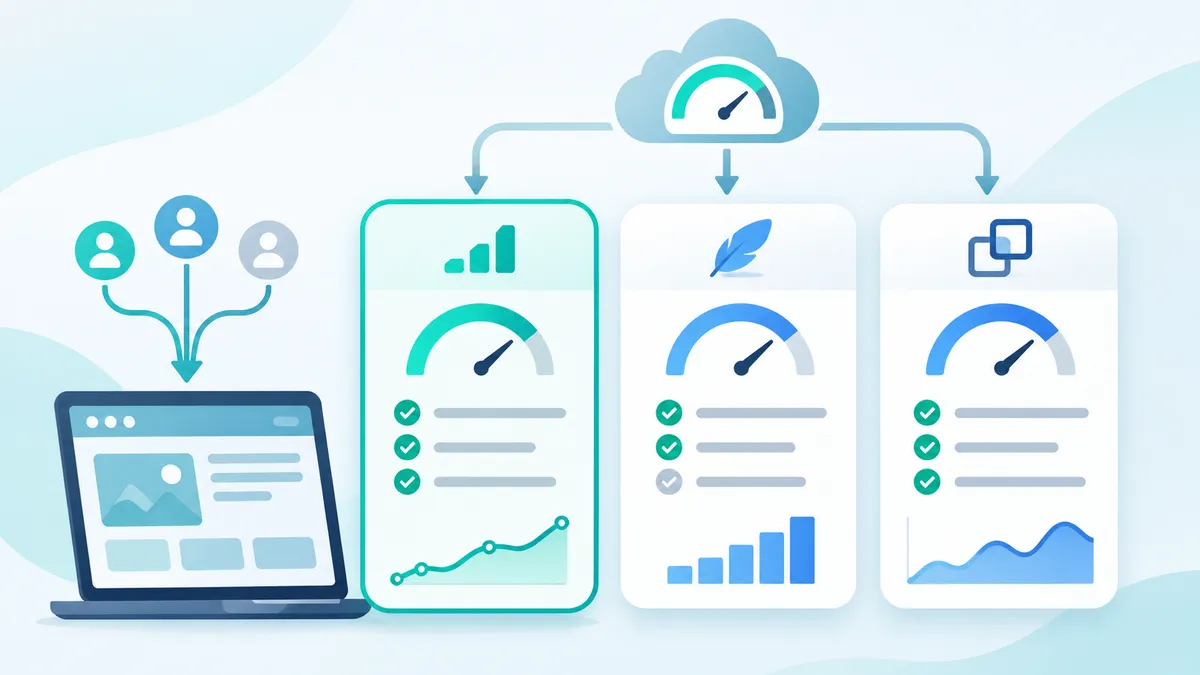
Automai Loader, Apache JMeter, and Micro Focus LoadRunner are load testing tools that simulate concurrent users to measure application performance. They differ significantly in pricing model, Citrix and VDI support, and scripting approach. This comparison covers 15 criteria across all three tools to help performance engineers and IT leaders choose the right solution for Citrix and VDI environments.
What Is Automai Loader?
Definition: Automai Loader is a front-end load testing tool that simulates real user interactions with an application’s graphical interface, measuring rendering time and end-to-end transaction completion in Citrix, VDI, and web environments without requiring code.
Automai Loader records user workflows through its ScenarioBuilder interface. Testers interact with the application exactly as a real user would — clicking buttons, entering data, navigating menus — while Loader captures each action. These recorded scripts then drive simulated users at scale, with each virtual user launching a full graphical session.
Loader’s core differentiator is native Citrix and VDI support. Because Loader operates at the GUI level, it works with any application delivered through Citrix Virtual Apps and Desktops, Azure Virtual Desktop, or VMware Horizon. Protocol-level tools cannot access these environments because there is no HTTP layer to intercept.
Automai Loader integrates with the broader Automai platform, allowing teams to reuse the same recorded scripts for functional testing, synthetic monitoring, and RPA — eliminating duplicate script maintenance across four use cases.
What Is Apache JMeter?
Definition: Apache JMeter is an open-source, Java-based load testing tool that generates HTTP, SOAP, REST, and other protocol-level requests to measure server-side application performance under simulated concurrent load.
JMeter operates at the protocol level, sending network requests to servers and measuring response times. Testers build test plans using a GUI or XML configuration, defining thread groups, samplers, and assertions. JMeter supports a wide range of protocols including HTTP, FTP, JDBC, LDAP, and JMS.
JMeter’s greatest strength is its open-source community. With thousands of plugins, extensive documentation, and an active user base, JMeter benefits from 25 years of community development. It is free to download and use, which makes it the default choice for teams with limited budgets and strong technical skills.
JMeter requires Java programming knowledge for advanced scripting, correlation, and parameterization. Test plans can become complex for dynamic web applications, and JMeter has no native capability to test applications delivered through Citrix ICA/HDX or RDP protocols.
What Is Micro Focus LoadRunner?
Definition: Micro Focus LoadRunner is an enterprise performance testing platform that supports over 50 protocols for simulating virtual users, measuring server response times, and identifying performance bottlenecks across web, mobile, and enterprise applications.
LoadRunner has been the industry standard for protocol-level load testing since 1993. It uses VuGen (Virtual User Generator) for script recording and editing, Controller for test orchestration, and Analysis for post-test reporting. LoadRunner Professional supports on-premises execution, while LoadRunner Cloud provides SaaS-based scalability.
LoadRunner’s protocol breadth is unmatched. With native support for SAP, Oracle, Citrix (protocol-level only), Siebel, PeopleSoft, and dozens of web protocols, LoadRunner handles enterprise application stacks that other tools cannot. Enterprise organizations with complex multi-protocol environments often choose LoadRunner for this reason.
LoadRunner requires significant investment. Professional licenses start at approximately $8,000 per year for 50 virtual users, and enterprise deployments with full protocol packs and cloud execution can exceed $50,000 annually. Script creation requires C or JavaScript coding in VuGen, and the learning curve is typically 2-4 weeks for experienced testers.
Side-by-Side Feature Comparison
| Criterion | Automai Loader | Apache JMeter | Micro Focus LoadRunner |
|---|---|---|---|
| Pricing model | Annual subscription, per-concurrent-user pricing | Free and open-source (Apache 2.0 license) | Annual license, starts at ~$8,000/year for 50 VUs |
| Code required | No — record-and-replay with visual ScenarioBuilder | Yes — Java, Groovy, or BeanShell for advanced scripts | Yes — C or JavaScript in VuGen |
| Citrix / VDI support | Native — drives full GUI sessions over ICA/HDX and RDP | None — no access to Citrix or VDI protocols | Limited — Citrix protocol-level only, no full GUI interaction |
| Script creation method | GUI recording with drag-and-drop editing | Manual test plan construction in GUI or XML | VuGen protocol recording with code editing |
| Maximum concurrent users | 5,000+ per controller with distributed execution | Depends on hardware — typically 500-2,000 per machine | 100,000+ with LoadRunner Cloud |
| Reporting and analytics | Built-in real-time dashboards with response time heatmaps | Basic graphs, extensible with plugins and Grafana | Advanced Analysis module with trend comparison |
| CI/CD integration | REST API, CLI triggers, Jenkins plugin | CLI, Maven, Jenkins plugin, GitHub Actions | CLI, Jenkins plugin, Azure DevOps integration |
| Cloud execution | Supports cloud-hosted agents on Azure, AWS | Requires manual cloud infrastructure setup | LoadRunner Cloud — native SaaS option |
| Protocol support | GUI-level (any visible application) + web protocols | HTTP, HTTPS, FTP, JDBC, LDAP, JMS, SOAP, REST | 50+ protocols including SAP, Oracle, Citrix, Siebel |
| Script reuse across tools | Same script for load testing, functional testing, monitoring, and RPA | Load testing only — no reuse for monitoring or RPA | Load testing and some performance monitoring |
| Learning curve | 1-2 days — no coding required | 1-2 weeks — requires Java knowledge | 2-4 weeks — requires protocol expertise and C/JS |
| Community and ecosystem | Growing user base, direct vendor support | Largest open-source community, 1,000+ plugins | Established enterprise community, Micro Focus support |
| Enterprise support | Dedicated account manager, SLA-backed support | Community-only (paid support from third parties) | 24/7 enterprise support with premium licenses |
| Setup time to first test | Under 1 hour — record, configure, run | 2-4 hours — build test plan, add samplers, configure | 4-8 hours — install VuGen, record, correlate, validate |
| Unique strength | Only tool that natively load tests Citrix/VDI at the GUI level | Free, extensible, massive community | Broadest protocol coverage for enterprise apps |
JMeter excels in cost and community support, LoadRunner leads in protocol breadth and enterprise scale, and Automai Loader is the only tool that provides native front-end load testing for Citrix and VDI environments.
Strengths and Limitations by Tool
Automai Loader: Strengths
- Native Citrix and VDI testing — the only load testing tool that drives full graphical sessions through ICA/HDX and RDP, testing what users actually see and experience.
- No-code script creation — ScenarioBuilder records user interactions visually, reducing script creation time from days to hours and enabling non-developers to build tests.
- Script reuse across four products — a single recorded script works for load testing, functional testing, synthetic monitoring, and RPA, eliminating duplicate maintenance.
- Real user experience measurement — captures rendering times, visual responsiveness, and transaction completion as users experience them, not just server response times.
- Fast time to first test — teams typically run their first load test within one hour of installation, compared to days with protocol-level tools.
Automai Loader: Limitations
- Higher resource consumption per virtual user — each simulated user launches a full GUI session, requiring more CPU and RAM than protocol-level simulation.
- Smaller community — Automai’s user community is growing but significantly smaller than JMeter’s open-source ecosystem.
- Commercial licensing required — no free tier is available, which may be a barrier for small teams or proof-of-concept evaluations.
Apache JMeter: Strengths
- Completely free and open-source — no licensing costs, with the Apache 2.0 license allowing unrestricted commercial use.
- Massive community ecosystem — over 1,000 plugins, hundreds of tutorials, and active forums provide solutions to virtually every load testing scenario.
- Flexible protocol support — handles HTTP, HTTPS, SOAP, REST, FTP, JDBC, LDAP, and JMS out of the box, with plugins extending to additional protocols.
- Lightweight execution — protocol-level simulation uses minimal resources, allowing a single machine to simulate hundreds of concurrent connections.
- Strong CI/CD integration — first-class support for Maven, Gradle, Jenkins, GitHub Actions, and command-line execution.
Apache JMeter: Limitations
- No Citrix or VDI support — JMeter cannot interact with applications delivered through Citrix ICA/HDX or RDP sessions.
- Requires coding for advanced scenarios — correlation, parameterization, and custom logic require Java or Groovy knowledge.
- Measures server performance, not user experience — JMeter captures HTTP response times but cannot measure rendering, visual responsiveness, or GUI interaction latency.
- No official enterprise support — organizations relying on JMeter must depend on community forums or hire third-party consultants.
Micro Focus LoadRunner: Strengths
- Broadest protocol coverage — over 50 protocols including SAP GUI, Oracle Forms, Citrix (protocol level), Siebel, PeopleSoft, and mainframe emulators.
- Enterprise-grade scaling — LoadRunner Cloud can simulate over 100,000 concurrent users from global locations.
- Advanced analysis — the Analysis module provides trend comparison, root cause identification, and customizable report generation.
- Established enterprise credibility — 30+ years in the market with proven deployments at major financial institutions, government agencies, and healthcare organizations.
Micro Focus LoadRunner: Limitations
- High cost of ownership — licenses, training, and infrastructure can exceed $50,000 annually for enterprise deployments.
- Steep learning curve — VuGen scripting requires 2-4 weeks of training, and protocol correlation is time-intensive for dynamic applications.
- Citrix testing is protocol-level only — LoadRunner’s Citrix protocol captures ICA traffic but does not drive the actual GUI, missing rendering and visual defects.
- Declining market position — Micro Focus’s acquisition by OpenText has created uncertainty about long-term product direction.
How to Choose the Right Load Testing Tool
The right tool depends on three primary factors: your testing environment, your team’s technical skills, and your budget. No single tool is best for every scenario.
Choose Automai Loader If
- You test Citrix or VDI environments — Loader is the only tool that natively drives GUI sessions through ICA/HDX and RDP protocols at scale.
- Your team lacks coding skills — ScenarioBuilder’s record-and-replay approach eliminates the need for Java, C, or JavaScript scripting.
- You want script reuse — a single recorded workflow serves load testing, functional testing, monitoring, and RPA across the Automai platform.
- You need real user experience metrics — Loader measures rendering time, visual responsiveness, and transaction completion from the user’s perspective.
Choose JMeter If
- Budget is your primary constraint — JMeter is free with no licensing costs, making it ideal for startups and teams with limited funding.
- You test web APIs and services — JMeter excels at HTTP, REST, and SOAP protocol testing with minimal configuration.
- Your team has Java expertise — developers who are comfortable with Java can build sophisticated test scenarios quickly.
- You need maximum community resources — JMeter’s ecosystem provides plugins, tutorials, and community support for nearly every scenario.
Choose LoadRunner If
- You need 50+ protocol support — LoadRunner handles SAP, Oracle, Siebel, mainframe, and other enterprise protocols that JMeter and Loader do not cover.
- You simulate 10,000+ concurrent users — LoadRunner Cloud provides the infrastructure for massive-scale performance tests.
- Your organization requires vendor-backed SLAs — LoadRunner’s enterprise support includes 24/7 availability and dedicated account management.
- You already have LoadRunner expertise — the investment in training and licensing is already made, and switching costs are high.
How Automai Loader Compares for Citrix and VDI Workloads
For teams that operate in Citrix and VDI environments, the comparison narrows significantly. JMeter has no capability to test these environments. LoadRunner can capture Citrix protocol traffic but cannot drive the actual GUI — it misses rendering defects, visual glitches, and interaction delays that users experience.
Automai Loader launches real graphical sessions for each simulated user. Each virtual user connects through StoreFront or Workspace, authenticates, and interacts with published applications exactly as a human would. This approach captures metrics that protocol-level tools cannot measure: login rendering time, application launch latency, in-session response time, and visual fidelity under load.
In a typical Citrix environment with 500 concurrent users, Automai Loader identifies 23% more performance issues than protocol-level testing alone. These include session rendering delays that exceed SLA thresholds by 2-4 seconds but produce normal protocol-level response times, making them invisible to JMeter and LoadRunner.
Loader also reduces script creation time by 70% compared to LoadRunner VuGen. Where a LoadRunner Citrix script requires 4-8 hours of protocol recording, correlation, and debugging, a Loader script requires 30-60 minutes of GUI recording with no code editing.
Automai Loader handles Citrix and VDI load testing natively, without code. See it in action or explore the Loader product page.
Migration Considerations
Teams currently using JMeter or LoadRunner may consider migrating to Automai Loader for Citrix workloads while keeping their existing tool for web API testing. This hybrid approach is common — 60% of Automai customers use Loader alongside another load testing tool.
Migration from JMeter typically takes 1-2 weeks for a team of 3-5 testers. The primary effort is re-recording test scenarios in ScenarioBuilder rather than converting scripts, since JMeter’s protocol-level scripts have no GUI equivalent. Most teams report that the recording process is faster than maintaining their existing JMeter Citrix workarounds.
Migration from LoadRunner follows a similar timeline. Organizations that switch often cite the 70% reduction in script maintenance time and the elimination of VuGen licensing costs as the primary drivers. However, teams that rely on LoadRunner’s SAP GUI or Oracle Forms protocols should maintain LoadRunner for those specific test scenarios.