Create around real user actions
Build automation around the application steps users perform to complete a business process.

Workflow Automation
Business-critical processes often cross multiple applications, screens, and environments.
Automai's workflow automation approach focuses on the actions users perform, helping teams create reusable automation assets for business process validation, performance testing, and production monitoring.
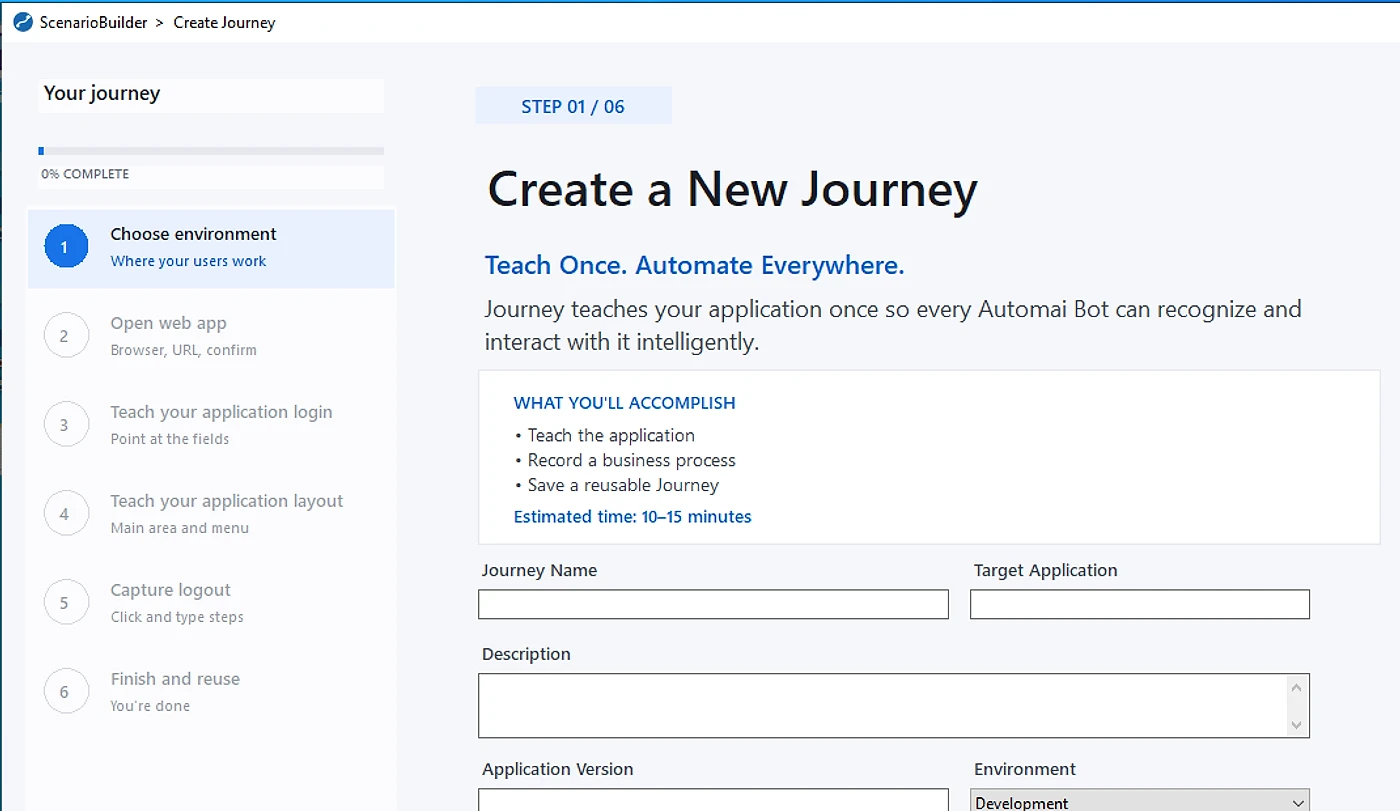
A business process can involve multiple screens, fields, applications, and expected outcomes.
When different teams build separate automation for performance testing, functional validation, and production monitoring, they may need to recreate similar application steps and workflow logic.
Automai's shared workflow foundation is designed around the business process itself.
By organizing automation around real user actions, teams can create reusable workflow assets that support different validation needs across the application lifecycle.
Focus automation on the complete business journey, not only isolated application actions.
The same business-critical process may need to be validated before release, tested under load, and monitored after deployment.
Automai's shared automation approach connects these activities through reusable workflow assets.
Build automation around the application steps users perform to complete a business process.
Organize automation around navigation, data entry, submission, validation, and expected business outcomes.
Use reusable automation assets to support applicable testing, validation, and monitoring activities.
Review and update automation assets when application interfaces or business-process requirements change.
Workflow automation begins with understanding the actions required to complete a business transaction.
Automai provides authoring capabilities for creating workflows around application interactions and expected outcomes.
Represent the application screens involved in completing the business process.
Include the fields and user interactions required during workflow execution.
Define the steps that move the business process forward.
Identify the expected result of the workflow.
Enterprise workflows often use the same application screens and interactions across different business processes.
Organizing automation into reusable assets can help teams manage workflow definitions as applications and processes evolve.
Automai connects three primary products through a shared workflow automation foundation.
Reusable workflow assets support different validation needs across the application lifecycle.
Loader
Execute automated real user workflows at scale to assess front-end transaction performance and identify slowdowns or failures under load.
Explore Automai LoaderWatcher
Repeatedly execute critical business workflows in production to detect failures and performance degradation from the user perspective.
Explore Automai WatcherTester
Validate business processes, workflow steps, and expected outcomes before releases, upgrades, and application changes.
Explore Automai TesterWorkflow authoring and reuse support the three Automai products. They are not presented as an additional peer product.
A business-critical workflow can move between different applications and environments before the user reaches the expected outcome.
Automai's user-interface-based automation approach focuses on the steps involved in completing that process.
Represent business workflows involving supported browser-based application interfaces.
Include user-level actions performed through supported Windows desktop applications.
Apply workflow automation to supported virtual desktop and remote application environments.
Build automation around business processes involving supported ERP, CRM, and other enterprise applications.
Focus validation on the business process across supported application interfaces.
A business process can depend on several technical systems while appearing to the user as one continuous journey.
Application availability does not necessarily establish that the user can complete every required step.
Automai's user-level approach focuses on workflow execution through application interfaces, helping teams validate whether the expected business process can be completed.
Validate what the workflow does, not only whether the underlying application is available.
Reusable workflow automation supports a consistent approach to representing, executing, and reviewing business processes.
Identify the business process, application path, required actions, and expected outcome.
Represent the workflow through application interactions and validation requirements.
Run the automated workflow in the relevant supported environment.
Review whether the workflow reaches the expected outcome.
Use available execution information to understand workflow behavior and identify problems.
Update reusable workflow assets as business processes and applications evolve.
Applications, interfaces, and business processes change over time.
Automation must be reviewed and maintained as the steps required to complete a workflow evolve.
Reusable workflow assets provide a foundation for organizing and updating automation around business processes.
The exact maintenance process depends on the capabilities of the authoring tools and the application environment.
Organizations may already use application monitoring, testing, and automation tools across their environments.
Automai's workflow approach can be evaluated around a specific business process that requires functional validation, performance testing, or production monitoring.
Validate important workflows before and after application releases, upgrades, patches, and configuration changes.
Explore Release and Upgrade ValidationValidate business workflows involving application steps, fields, submissions, approvals, and expected outcomes.
Explore Business Process TestingUse automated real user workflows with Loader to assess transaction performance under load.
Explore Automai LoaderUse Watcher to monitor critical production workflows and detect failures or degradation.
Explore End-user Experience MonitoringValidate business processes that move between supported application interfaces and environments.
Explore the Automai PlatformFAQ
Common questions about workflow creation, reuse, and validation across enterprise applications.
Book DemoThe proposed Journey approach focuses on representing a business process so that its workflow knowledge can support applicable automation activities.
Automai's approved platform positioning connects Loader, Watcher, and Tester through reusable real user workflows.
Journey's specific role in creating or maintaining those workflows requires product confirmation.
Cross-application business workflows are a central part of the proposed Journey positioning.
The exact application combinations and execution conditions depend on current product compatibility.
Automai's broader platform supports workflow automation across complex enterprise environments.
Journey-specific compatibility must be confirmed for each application and environment.
Automai provides workflow-authoring capabilities for building automation around application interactions.
Automai's broader workflow automation platform supports execution results and user-side evidence for testing, validation, and monitoring.
Reusable workflow automation assets can be reviewed and maintained as application interfaces and business processes evolve.
Start with one business-critical workflow.
Bring the application path, environment, expected outcome, and testing or monitoring requirement your team wants to address.
Automai can use that process as the starting point for discussing the relevant workflow automation approach.