Protocol tests stop below the desktop
They can’t validate how users actually launch, navigate, and complete workflows.

Automai Loader
Automai Loader runs real user workflows at scale — logging in, navigating, submitting, and validating transactions — to expose failures that only appear under real conditions.
Most performance tools test endpoints. Automai tests the workflow users actually follow.
Trusted to validate critical workflows under real user load




Most tools simulate traffic. They don’t simulate users — and miss how workflows actually behave under load.
They can’t validate how users actually launch, navigate, and complete workflows.
Canned scripts don’t reflect how workflows behave across steps, timing, and system interactions.
Load tests show metrics — not where or why workflows break.
Automai applies load across full workflows — not endpoints — by executing real user actions across applications and systems.
Most tools generate traffic. Automai generates real user behavior.
Execute full workflows across desktop, web, and virtual environments — not just endpoints.
Create reusable workflows using real steps, screens, and validations — not scripts.
See exactly where workflows slow, break, or fail — with screenshots and step-level evidence.
Automai executes real workflows step by step while applying load — exposing where transactions slow, break, or fail.
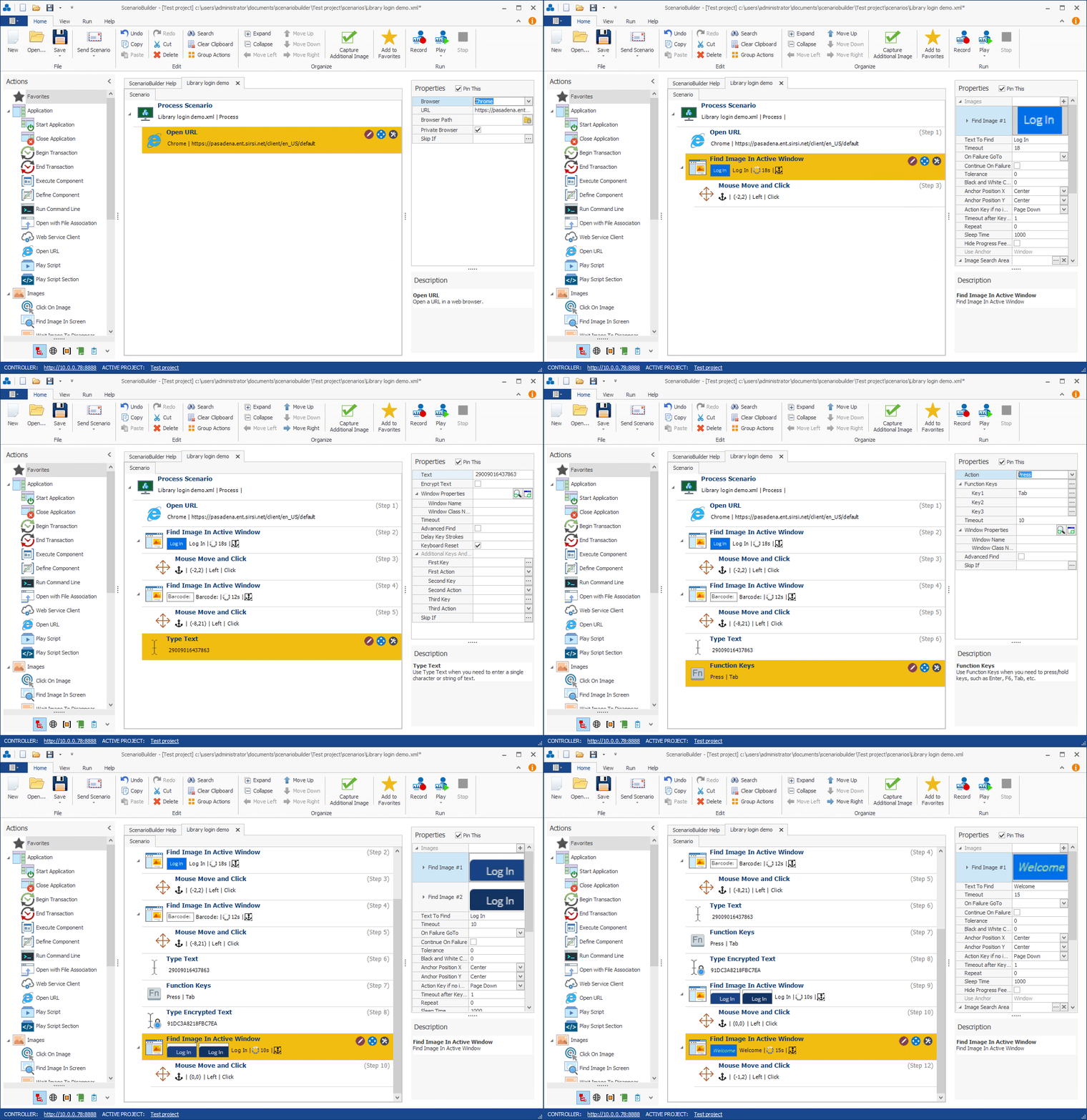 Real user workflow
Load applied across steps
Automai works across the same environments your users depend on — including virtual desktops, legacy apps, and integrated systems.
Generate load through the same access layer users depend on.
Test thick-client and two-tier applications that do not fit protocol-only tools.
Run high-value workflows through SAP, Oracle, Epic-adjacent, and integrated systems.
Every test produces a complete workflow record — including screenshots, timings, and failure points.
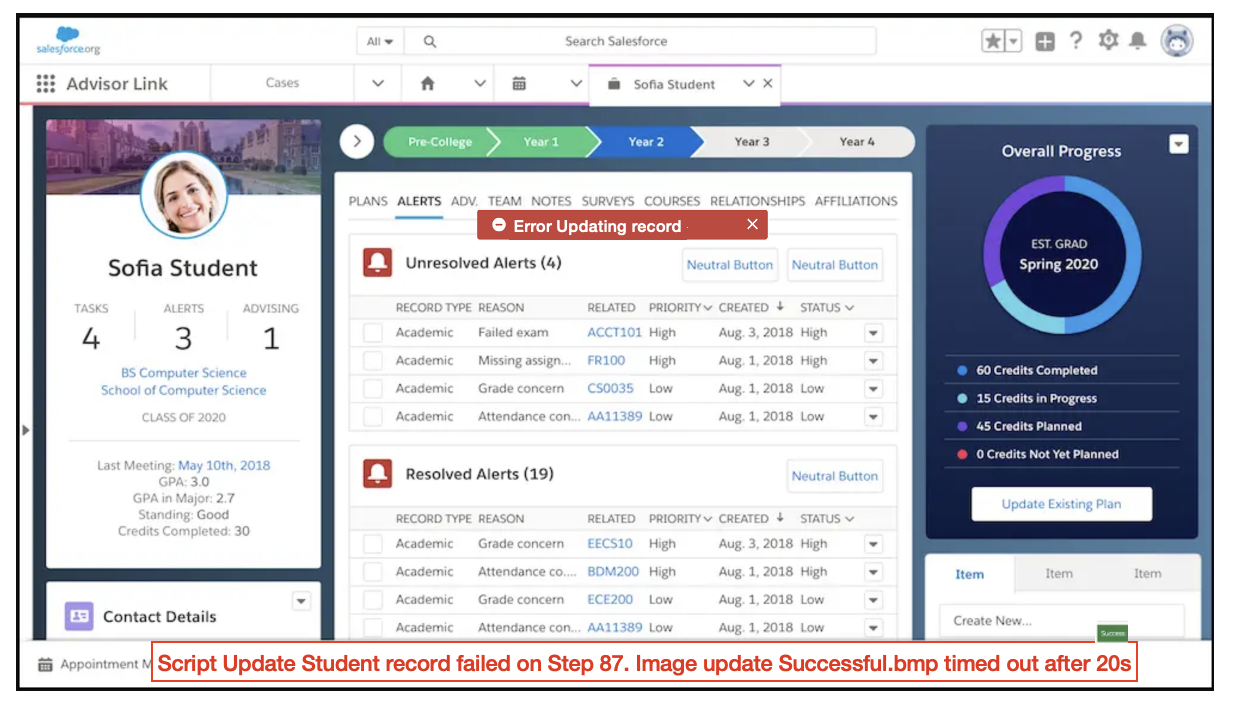
Screenshots, timings, and step-level evidence in one workflow record.
Automai runs the same workflows your users execute — across logins, navigation, transactions, and validations — continuously and under load.
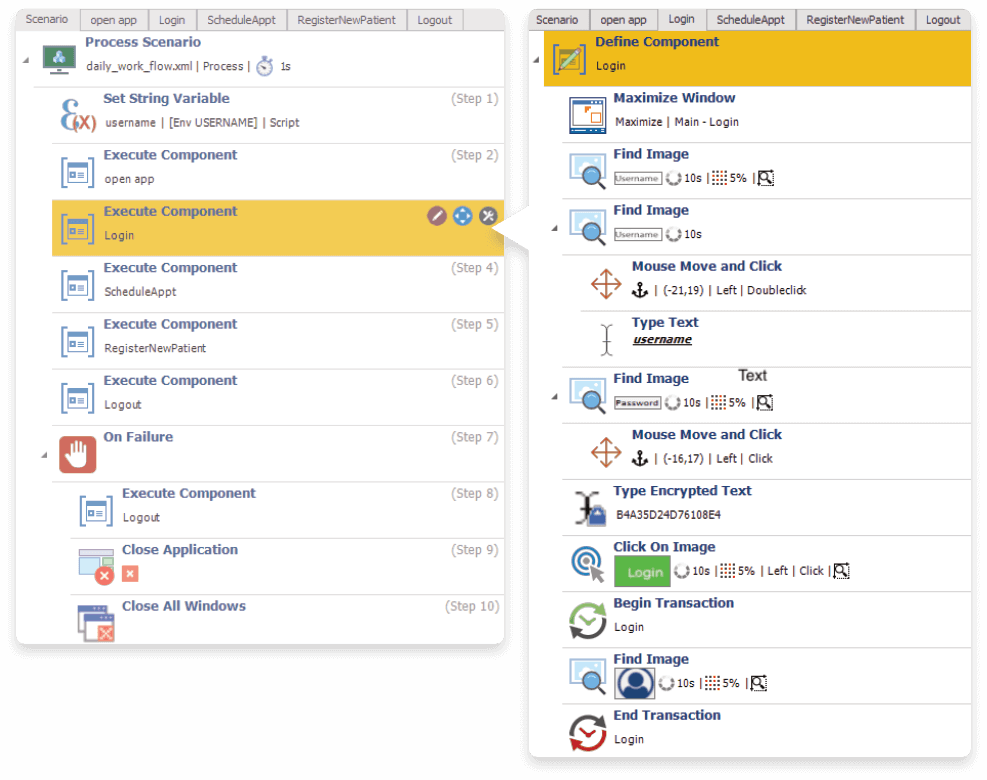 Real user workflow
Steps: Login → Navigate → Validate
Reusable under load
"We finally saw exactly where our workflows were breaking under load — not just that performance dropped."Automai Loader workflow validation
Pick a critical workflow and simulate real user load. Automai will show you exactly where it fails.
FAQ
Common questions about Automai Loader and front-end performance testing with real user workflows.
Book DemoLoader is used for front-end performance and load testing through real user workflows, especially when protocol-level testing does not show the full user experience.
Loader focuses on real user workflow execution from the front end. This helps teams see where workflows slow down or fail from the user perspective, not only at the protocol or backend level.
Yes. Loader is useful for environments where users work through Citrix, virtual desktops, desktop clients, legacy apps, ERP systems, or complex integrated workflows.
Yes. Loader can simulate real user workflows inside Citrix and VDI environments, helping teams measure performance from the same access layer users depend on.
Teams should use Loader before major releases, upgrades, migrations, peak usage periods, or any change that could affect workflow performance under real user load.