Validate ERP and production workflows before operations slow down

Manufacturing operations depend on interconnected applications to manage ERP transactions, production reporting, approvals, and daily business processes.

A workflow can fail or slow down even when the underlying systems remain available, affecting operational tasks, reporting, and the flow of information between applications.

Automai helps manufacturing teams test performance under load, validate business processes before application changes, and monitor critical workflows in production across ERP systems, web portals, desktop applications, and connected enterprise environments.

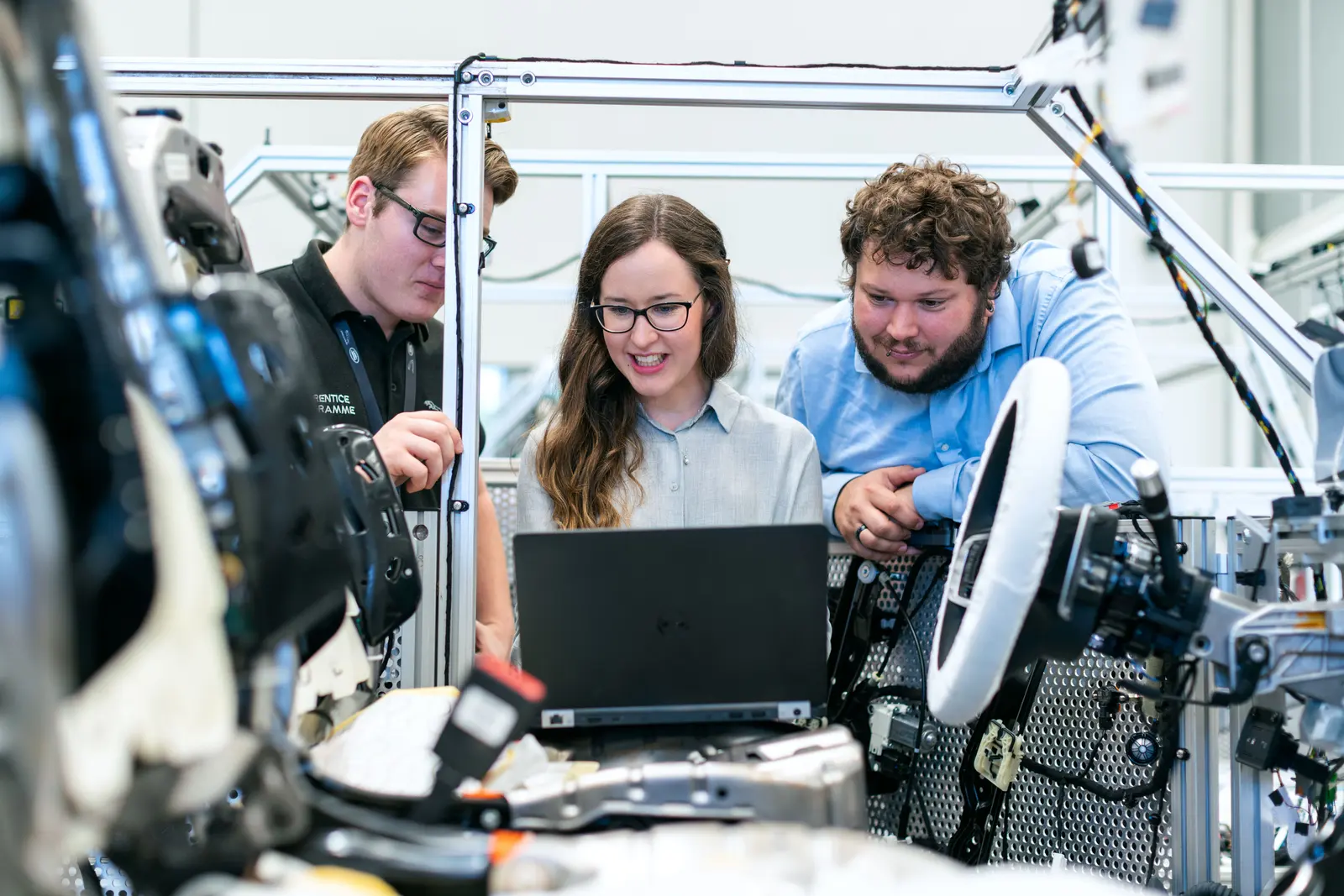
Manufacturing team working together on production equipment

Manufacturing workflows depend on multiple applications working together

Manufacturing organizations rely on connected systems to support production-related processes, ERP transactions, reporting, approvals, and back-office operations.

A single business process may involve several application screens, user interactions, and system handoffs before reaching its expected outcome.

When one step fails or slows down, the entire workflow can be affected.

ERP transactions across connected systems

ERP workflows may involve creating records, updating information, submitting transactions, and confirming changes.

An ERP application may remain available while a transaction fails to save or an expected update does not appear in a connected system.

Production reporting and status updates

Manufacturing teams rely on applications to generate reports, review production information, and update operational records.

Slow screens, failed report generation, or incomplete status changes can interrupt these processes.

Approval workflows

Business processes may require multiple approvals, data validations, and status changes before completion.

A failed handoff or unexpected application response can prevent an approval workflow from reaching its final state.

Legacy desktop applications

Some operational workflows depend on established desktop or thick-client applications.

Application upgrades, operating system changes, or infrastructure updates can affect processes that previously worked correctly.

Application upgrades and operational changes

Changes to ERP platforms, reporting applications, or connected enterprise systems can introduce unexpected failures in existing workflows.

Automai helps teams evaluate these challenges through real user workflow execution, focusing on application behavior and expected outcomes.

Available ERP systems do not always mean completed manufacturing workflows

Infrastructure monitoring, application health checks, and backend performance metrics provide important visibility into manufacturing systems.

However, these indicators do not always establish whether employees can complete the business workflows they depend on.

Automai complements existing monitoring and testing approaches by executing workflows through the user interface and evaluating whether expected steps and outcomes are completed.

This helps teams identify where failures occur, where performance degrades, and whether critical processes continue to work after changes.

For example:

  • An ERP application may load successfully while a transaction fails to submit.
  • A production reporting tool may be available while a report cannot be generated.
  • An approval application may respond normally while a required status change fails.
  • A legacy desktop application may launch while a critical process cannot be completed.
  • An ERP upgrade may pass technical checks while an established workflow stops working.

These are illustrative scenarios, not documented customer incidents.

Test, monitor, and validate manufacturing workflows across the application lifecycle

Automai supports manufacturing teams through three complementary products, each addressing a different aspect of workflow reliability.

Loader — Evaluate manufacturing application performance under load

Automai Loader executes real user workflows at scale to evaluate how applications behave under concurrent activity.

Manufacturing teams can use Loader to assess workflows such as ERP transactions, report generation, approval processes, and connected application interactions before releases or anticipated periods of increased demand.

Loader helps identify slow transactions, performance bottlenecks, and workflow failures under load.

Explore Loader

Watcher — Monitor critical manufacturing workflows in production

Automai Watcher repeatedly executes configured workflows to detect failures and performance degradation from the user perspective.

Teams can monitor selected processes such as ERP transactions, production reporting, approvals, and legacy application interactions.

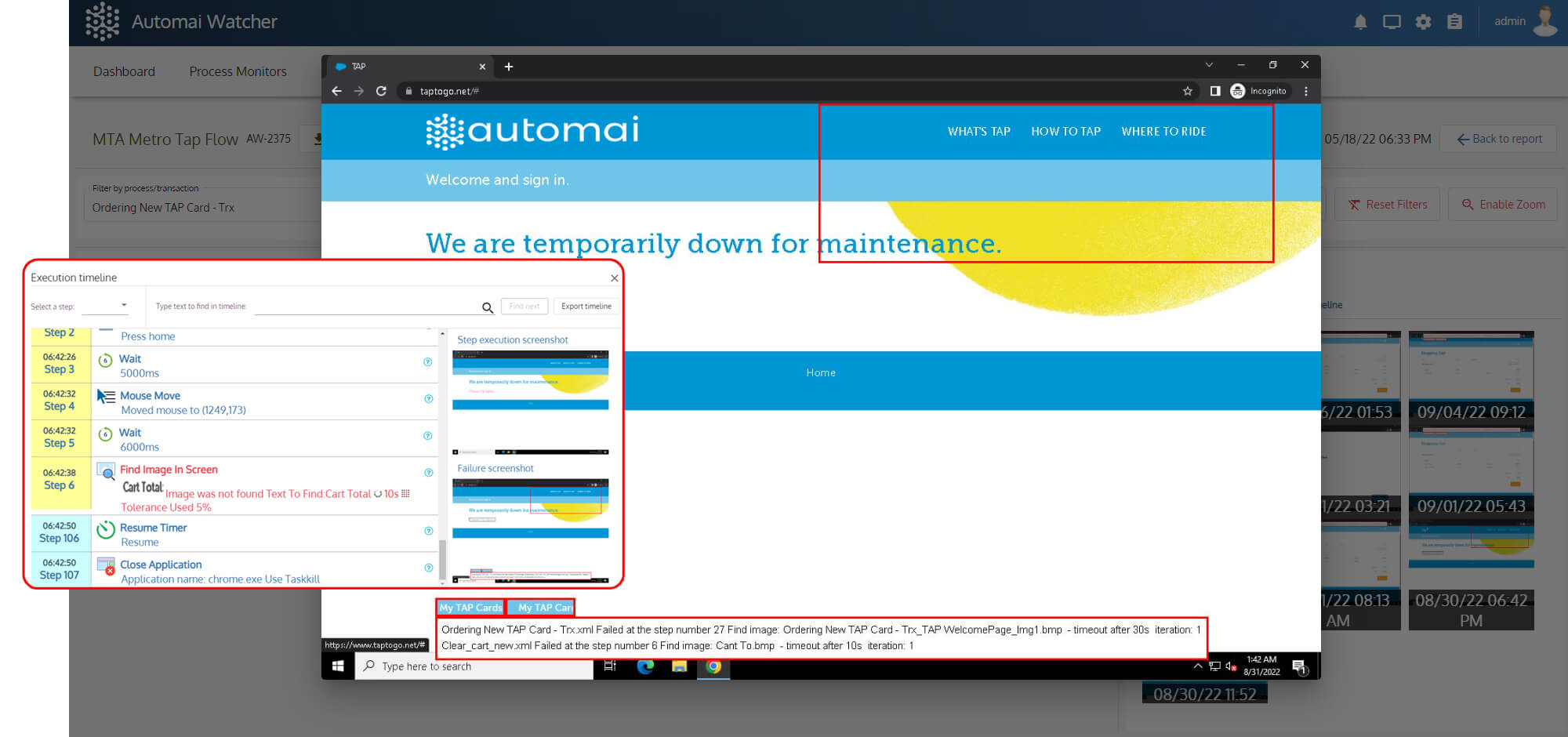
Execution evidence helps investigate failures and understand where a workflow encountered a problem.

Explore Watcher

Tester — Validate business processes before release

Automai Tester supports functional validation of workflows across application screens, fields, checkpoints, and expected outcomes.

Teams can create and reuse workflows to validate ERP processes, reporting tasks, approval workflows, and desktop application interactions before upgrades or releases.

This helps identify broken steps and incomplete processes before changes reach production.

Explore Tester

Validate the workflows that keep manufacturing operations moving

Manufacturing organizations depend on processes spanning ERP platforms, production reporting tools, approval applications, and legacy desktop environments.

Automai's workflow-based approach can be applied to critical business processes where successful completion matters.

ERP transactions

Validate the application steps involved in creating records, updating information, submitting transactions, and confirming expected results.

Example workflow

  1. Log in
  2. Open ERP transaction
  3. Enter information
  4. Submit
  5. Verify confirmation

Production reporting

Test workflows involving report generation, data selection, downloads, and production status updates.

Example workflow

  1. Access reporting application
  2. Select reporting period
  3. Generate report
  4. Download
  5. Verify result

Approval workflows

Validate processes involving request submissions, approval routing, status changes, and completion.

Example workflow

  1. Open approval request
  2. Review details
  3. Submit decision
  4. Verify updated status

Legacy desktop applications

Test and monitor workflows performed through supported desktop and thick-client applications used for operational and administrative tasks.

Example workflow

  1. Launch application
  2. Log in
  3. Open record
  4. Update information
  5. Save
  6. Verify result

ERP and application upgrades

Validate established workflows before and after changes to ERP platforms, reporting tools, desktop applications, or connected systems.

Example workflow

  1. Execute baseline workflow
  2. Apply change in a controlled environment
  3. Re-execute workflow
  4. Review results and timing

These are illustrative workflow examples. They do not imply prebuilt manufacturing templates, certified ERP integrations, or verified customer implementations.

Identify where manufacturing workflows slow down or fail

When an ERP transaction, production report, or approval process does not complete successfully, teams need evidence to understand what happened.

Automai supports investigation and validation through workflow execution results and product-specific performance information.

Workflow completion

Determine whether an executed workflow reached its expected outcome or encountered a failure.

Failed-step identification

Identify where a workflow stopped or failed, helping teams focus investigation on the affected application interaction.

Transaction and workflow timing

Evaluate execution times to identify delays affecting ERP transactions, reporting processes, approvals, or desktop applications.

Screenshots and execution context

Review available visual evidence to understand the application state when a workflow encounters a problem.

Performance trends

Use supported reporting and historical execution information to evaluate changes in workflow behavior over time.

Automai Watcher workflow failure screenshot
Example of Automai workflow execution evidence used to investigate application failures and performance degradation.

Validate workflows across connected manufacturing applications

Manufacturing operations may depend on a combination of ERP platforms, production reporting applications, desktop software, and connected enterprise systems.

Automai focuses on how users interact with these applications and whether expected business processes complete successfully.

ERP applications

Validate workflows involving record creation, transaction submissions, data updates, and expected processing outcomes.

Production reporting applications

Test processes involving report generation, downloads, production information, and status updates.

Approval and administrative applications

Validate workflows involving approvals, data entry, status changes, and application handoffs.

Legacy desktop applications

Test and monitor workflows performed through supported Windows and thick-client applications used for operational and administrative tasks.

Integrated enterprise applications

Validate workflows involving multiple application interfaces, including handoffs between ERP, reporting, approval, and back-office systems.

Frequently asked questions

Automai executes real user workflows to evaluate application performance, monitor production applications, and validate business processes. Manufacturing teams can focus on ERP transactions, production reporting, approvals, and desktop application workflows.

Validate one manufacturing workflow before it impacts operations