
- 1Login
- 2Launch
- 3Navigate
- 4Transact
- Complete
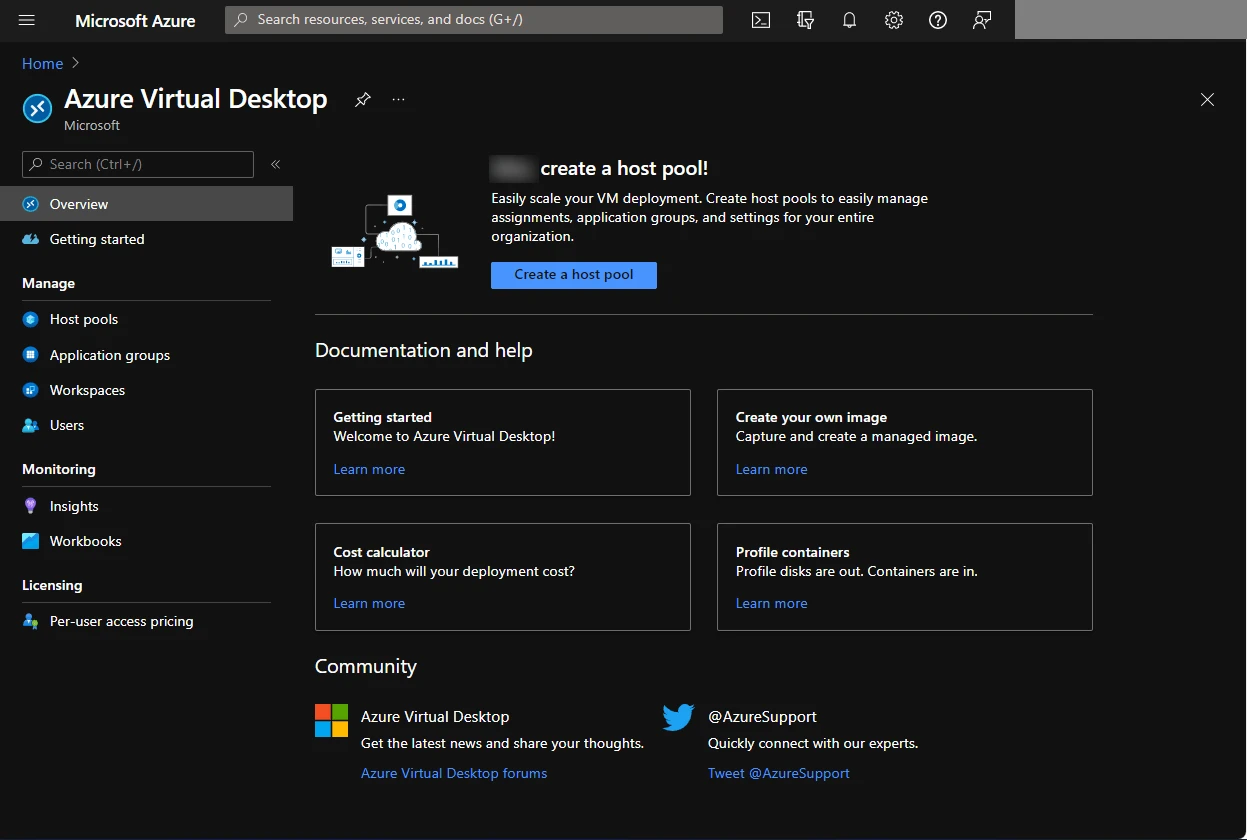
Azure Virtual Desktop
Know whether users can complete the workflow through Azure Virtual Desktop.
A healthy Azure Virtual Desktop session doesn't guarantee users can complete critical workflows. Automai validates real user journeys through supported AVD environments, helping teams test performance under load, validate changes, and monitor workflows in production.
Validate the user path, not only the virtual desktop infrastructure signal.
User-Perspective Validation
Infrastructure health does not prove the workflow works.
Infrastructure monitoring provides important information about the health and performance of Azure Virtual Desktop.
But a successful session does not always mean users can open the applications they need, complete transactions, or reach the expected business outcome.
Automai adds the user perspective by executing defined workflows through supported application interfaces.
Session Startup
Validate the supported launch and login path through Azure Virtual Desktop.
Application Access
Check whether the workflow can reach and open the required application.
Navigation
Follow the application path users need to perform their work.
Business Transactions
Execute the actions involved in supported business transactions.
Reports and Programs
Evaluate workflows involving program launches or report execution.
Cross-Application Activity
Follow supported business processes involving more than one application interface.
Validate the application workflow, not just the availability of the virtual desktop session.
End-User Performance
Measure what the user experiences.
Users experience the time required to access applications and complete their work, not the infrastructure metrics behind those processes.
Automai provides user-side workflow measurements to help teams evaluate how business-critical transactions perform through supported Azure Virtual Desktop environments.
Available execution results and evidence can help teams investigate delays and workflows that do not complete as expected.
Workflow Performance
Review available response measurements to understand how important application transactions behave.
Execution Results
Determine whether an automated workflow reached its expected outcome.
Visual Evidence
Use available screenshots or other supported visual evidence to investigate application behavior during execution.
Failure Investigation
Review execution information to help understand why a workflow did not complete successfully.
Connect technical investigation with the application experience users depend on.
Download DatasheetMigration & Change Validation
Reduce uncertainty around AVD migrations and changes.
Moving applications and users to Azure Virtual Desktop changes the access environment around important business processes.
Application updates, authentication changes, and infrastructure modifications can also affect workflows that previously worked.
Automai helps teams repeat representative user workflows before and after changes to evaluate whether applications remain accessible and business processes reach their expected outcomes.
1. Establish the Workflow
Identify the application path, user interactions, and expected business outcome.
2. Validate Access
Check supported session startup and application access through the target AVD environment.
3. Execute the Business Process
Run representative application workflows and capture available execution results.
4. Repeat After Change
Re-run the workflow after migration, application updates, or infrastructure changes.
5. Review the Results
Use available measurements and execution evidence to investigate differences in workflow behavior.
Common use cases
- Azure Virtual Desktop migrations
- Application releases and upgrades
- Authentication and access changes
- Infrastructure and configuration updates
- Capacity and performance changes
Keep the business workflow central before, during, and after changes to the AVD environment.
Three Products. One Workflow Approach.
Test performance. Validate changes. Monitor production.
Automai connects performance testing, functional validation, and production monitoring through a shared workflow automation foundation.
Loader, Tester, and Watcher address different stages of the application lifecycle.
Automai Loader
Performance and Load Testing
Automai Loader executes automated real user workflows under load to assess front-end transaction performance.
Use Loader to evaluate how supported application workflows behave through Azure Virtual Desktop as concurrent activity increases.
Explore Automai Loader
Automai Tester
Functional Workflow Validation
Automai Tester supports functional validation of defined application workflows, steps, and expected outcomes.
Use Tester to evaluate important business processes before releases, migrations, upgrades, and configuration changes.
Explore Automai Tester
Automai Watcher
Continuous Workflow Monitoring
Automai Watcher repeatedly executes selected production workflows to detect failures and performance degradation from the user perspective.
Use Watcher to monitor important application journeys through supported Azure Virtual Desktop environments.
Explore Automai WatcherLoader tests performance under load. Tester validates functionality. Watcher monitors selected production workflows.
Reusable Workflow Automation
Automai's shared automation foundation supports reusable workflow assets across applicable testing, validation, and monitoring use cases.
The exact reuse and configuration requirements depend on the product and environment.
FAQ
Azure Virtual Desktop testing and workflow validation questions.
Common questions about validating, testing, and monitoring business-critical workflows through Azure Virtual Desktop.
Book DemoAutomai validates defined user workflows through supported Azure Virtual Desktop environments.
Depending on the configuration, workflows may include session access, application launch, navigation, business transactions, and expected outcomes.
Infrastructure monitoring provides information about the environment and its components.
Automai adds the user perspective by executing defined application workflows and checking whether important business processes reach their expected outcomes.
It complements existing infrastructure monitoring rather than replacing it.
Automai Loader uses automated real user workflows to evaluate application performance under load.
Its applicability to a particular AVD environment depends on the supported architecture, workload, and deployment configuration.
Automai can execute representative business workflows before and after a migration to help teams evaluate whether important processes continue to work.
The availability of formal baseline comparison and reporting depends on verified product functionality.
Automai Watcher repeatedly executes selected workflows to monitor important business processes from the user perspective.
Supported monitoring frequency, alerting, and execution requirements depend on the product configuration and environment.
Automai's approach is based on executing supported application workflows through the user interface.
Compatibility depends on the application type, delivery method, client, version, and deployment configuration.
Next Step