Availability is not completion
A system can be “up” while users cannot complete transactions.

Automai Watcher
Automai Watcher runs real user workflows in production — login, navigation, transactions — and shows exactly where they slow, break, or fail.
Most monitoring tools track systems. Automai tracks the user workflow.
Trusted to monitor critical workflows in production




Dashboards show availability and metrics — but miss how users actually experience workflows across steps and systems.
A system can be “up” while users cannot complete transactions.
Backend metrics don’t show where workflows break across steps.
Issues are detected after users report them — not before.
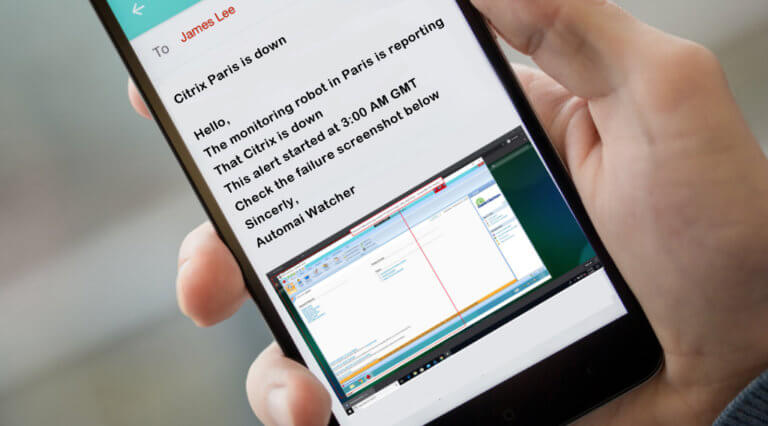
Watcher runs real workflows in production — across screens, steps, and systems — to detect failures exactly where they happen.
Most tools monitor components. Automai monitors the workflow end-to-end.
Login, navigation, submissions, and validations — continuously executed.
See where workflows slow, fail, or break.
Run from real environments across locations and systems.
Watcher captures every step of the workflow — including timings, failures, and transaction visibility.
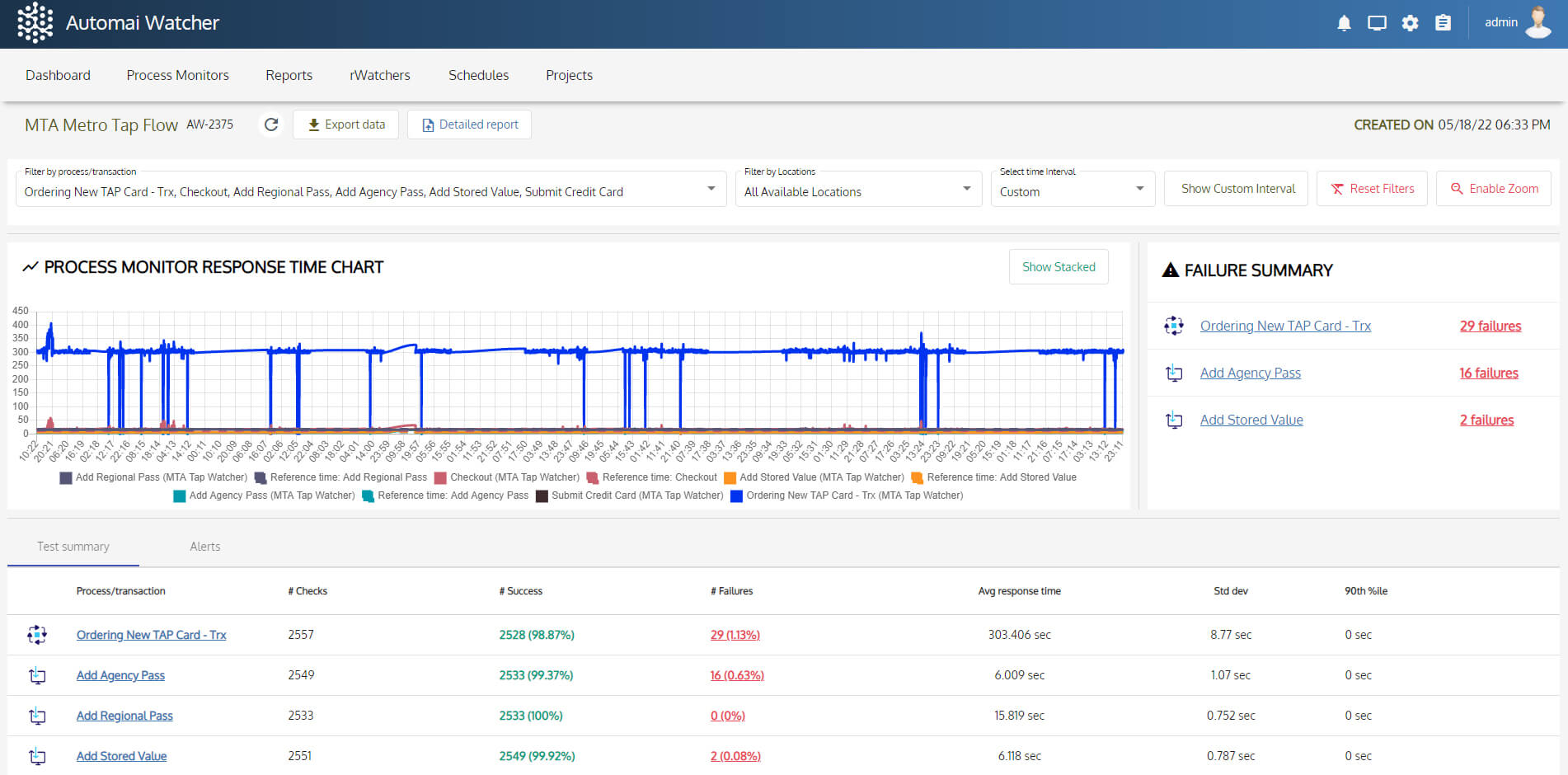 Live workflow trend
Failure summary
From virtual desktops to legacy apps and integrated systems — Watcher runs in the same environments your users depend on.
Monitor session launch, app access, and workflow completion from the user side.
Follow thick-client and legacy workflows that browser checks cannot see.
Run production checks through real navigation, submissions, and validations.
Track transactions across screens, systems, and dependent applications.
Every run produces step-level evidence — screenshots, timings, and failure points.
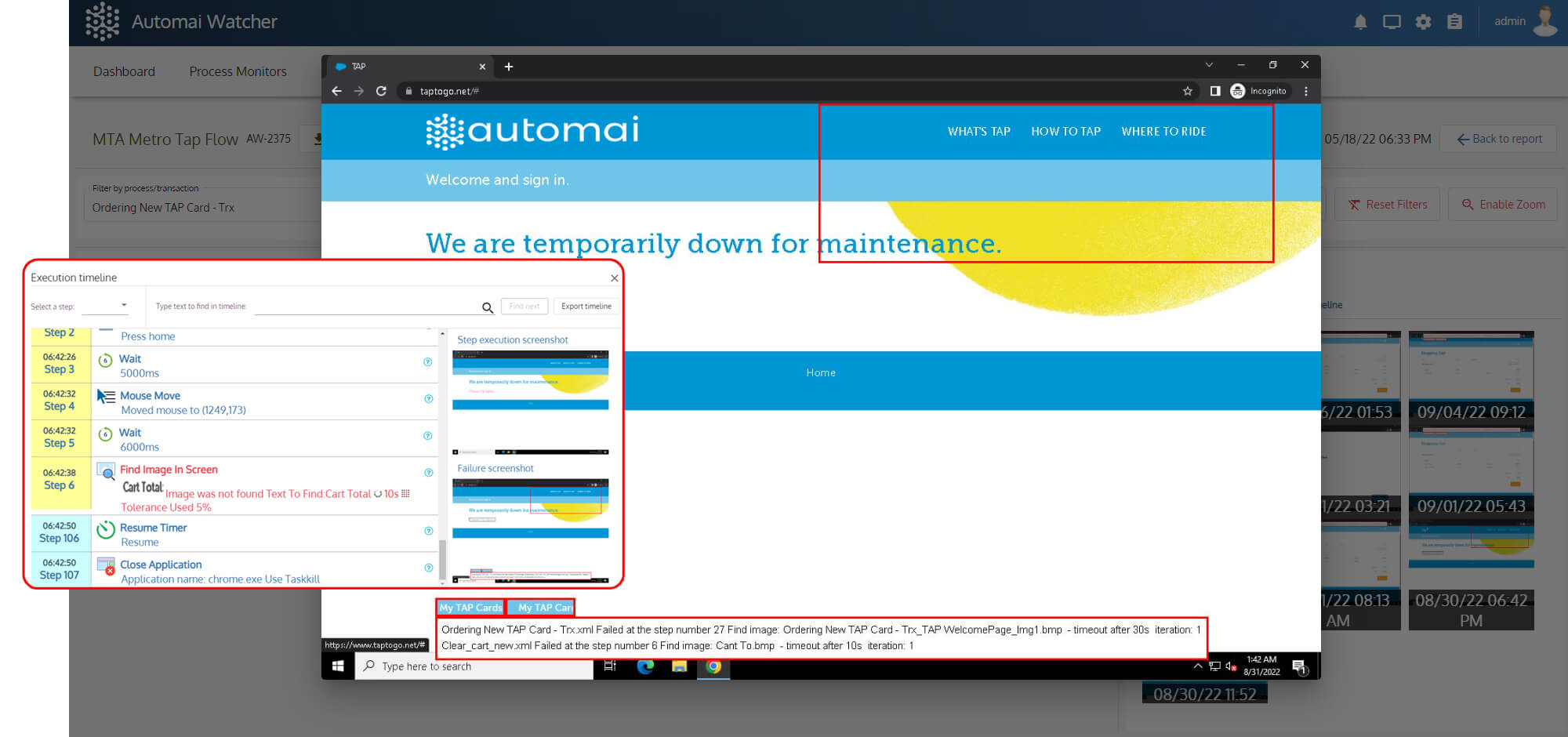
Screenshots, timings, and step-level evidence from the exact workflow run.
“Troubleshooting time dropped by nearly 70%.Edgar Iraheta Lead Engineer, Cambridge Health Alliance
Automai Watcher quickly shows whether the issue is in the network or the application — so we fix it faster.”
APM tools track system performance. Automai Watcher shows whether users can complete workflows.
CPU, memory, response time.
Can users complete the transaction?
Something is wrong.
Where and why it failed.
Pick a critical workflow. Automai Watcher will show exactly where it breaks — before users report it.
FAQ
Common questions about Automai Watcher and production workflow monitoring from the user perspective.
Book DemoWatcher monitors real user workflows in production so teams can detect failures, slowdowns, and broken transactions before users report them.
Uptime monitoring can show that a system is available. Watcher shows whether the actual user workflow can be completed successfully.
Yes. Watcher can provide evidence such as screenshots, timings, workflow step details, and failure context.
Watcher can be used for synthetic monitoring because it runs planned user workflows continuously and reports whether the workflow can be completed successfully.
Watcher is best for critical workflows such as login, order processing, claims, approvals, reports, clinical workflows, support workflows, and customer-facing transactions.