
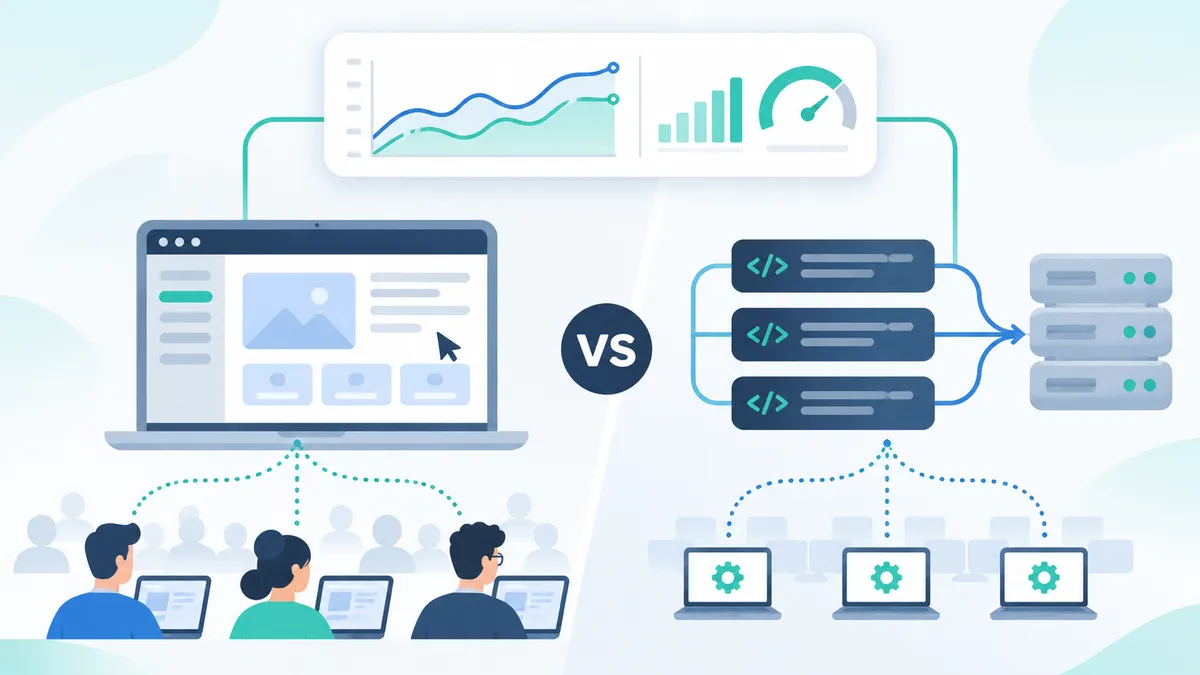
Front-end load testing simulates real users interacting with an application’s graphical interface, capturing rendering times, clicks, and visual responses. Unlike protocol-level testing, which measures server responses to API calls, front-end testing reveals the performance that actual users experience. This guide breaks down the differences between both approaches, when to use each, and how to choose the right method for Citrix and VDI environments.
What Is Front-End Load Testing?
Definition: Front-end load testing is a performance testing method that simulates multiple concurrent users interacting with an application’s graphical user interface, measuring rendering time, visual responsiveness, and end-to-end transaction completion as real users experience them.
Front-end load testing tools launch actual application sessions and drive them through predefined workflows. Each virtual user opens the application, clicks buttons, fills forms, navigates screens, and waits for visual confirmation that each step completed. The tool measures how long every interaction takes from the user’s perspective.
This approach is the only reliable method for VDI performance testing. In Citrix, Azure Virtual Desktop (AVD), and VMware Horizon environments, the application runs on a remote server and delivers a rendered image to the client over a proprietary protocol (ICA/HDX, RDP, or Blast Extreme). There are no HTTP requests to intercept. The only way to measure performance is to interact with the interface the same way a human does.
Front-end load testing catches issues that protocol-level tests never detect: slow screen rendering under load, UI elements that fail to appear when the server is busy, session launch delays that increase as concurrent users grow, and application freezes triggered by resource contention on the session host.
What Is Protocol-Level Load Testing?
Definition: Protocol-level load testing is a performance testing method that generates synthetic network requests (HTTP, HTTPS, WebSocket, SOAP, or other protocols) to simulate user traffic at the transport layer, measuring server response times, throughput, and error rates without rendering any user interface.
Protocol-level tools record the network traffic between a browser or client and a server, then replay those requests at scale. Tools like Apache JMeter, Gatling, k6, and Micro Focus LoadRunner operate at this layer. They can simulate thousands of concurrent users from a single machine because each virtual user is just a lightweight thread sending HTTP requests.
Protocol-level testing excels at measuring backend capacity. It answers questions like: How many API requests per second can the server handle? At what point does the database connection pool saturate? Where is the throughput ceiling for the load balancer? These are critical metrics for web applications with REST APIs and microservice architectures.
The limitation is that protocol-level tests have no visibility into the user experience. They cannot detect slow page rendering, JavaScript errors, CSS layout shifts, or any visual defect. They measure the server’s response, not the user’s experience. For applications delivered through Citrix or VDI, protocol-level testing is effectively unusable because the ICA/HDX protocol cannot be replayed by standard HTTP load generators.
Front-End vs. Protocol-Level Load Testing: Side-by-Side Comparison
| Criterion | Front-End Load Testing | Protocol-Level Load Testing |
|---|---|---|
| What is tested | The full application UI as users see it | HTTP requests, API calls, and network protocols |
| User experience accuracy | High — measures rendering, clicks, visual feedback | Low — measures server response only |
| Citrix / VDI support | Native — interacts through the ICA/HDX session | None — no HTTP layer to intercept |
| Desktop application support | Yes — any app with a GUI | No — requires HTTP/API endpoints |
| Script creation | Visual recorder or no-code builder | Code-based (Java, JavaScript, Scala, C) |
| Setup complexity | Moderate — requires load generator VMs | Low — lightweight agents on any machine |
| Resource per virtual user | Higher — each user runs a real session | Lower — thousands of users per machine |
| Max concurrent users (single machine) | 10-50 depending on app weight | 1,000-10,000+ depending on protocol |
| Bugs detected | UI rendering, session launch, visual lag, UX bottlenecks | Server errors, API latency, throughput limits |
| Reporting metrics | End-to-end response time, screen render time, transaction time | Requests/sec, error rate, server latency percentiles |
| CI/CD integration | Supported via CLI and API triggers | Native in most tools (JMeter, k6, Gatling) |
| Cost model | Per-concurrent-user or per-load-generator | Open-source (JMeter, k6) or per-vUser-hour (LoadRunner) |
Protocol-level tools are lighter and faster to scale, while front-end tools provide the only accurate measurement of what users actually experience. For Citrix and VDI environments, only front-end load testing produces meaningful results.
Key Differences Between Front-End and Protocol-Level Approaches
User Experience Accuracy
Protocol-level load tests tell you how fast the server responds. Front-end load tests tell you how fast the user experiences the response. In Citrix environments, these numbers are often dramatically different.
A server may return a 200 OK in 120 milliseconds, but the Citrix session takes an additional 800 milliseconds to render the updated screen. Protocol-level tests report 120 ms. Front-end tests report 920 ms. The user experiences 920 ms. In a recent Citrix deployment, front-end testing uncovered 23% more rendering issues than protocol-level tests alone, including session host CPU saturation that only manifested as visual lag.
Setup Complexity and Scripting
Protocol-level tools like JMeter require recording a browser session with a proxy, then parameterizing the captured HTTP requests. Correlation of dynamic values (session tokens, CSRF tokens, ViewState) is the most time-consuming step. A typical JMeter script for a 10-step workflow takes 2 to 4 hours to build and debug.
Front-end load testing scripts require recording the visual workflow. The tester walks through the application while the tool captures each interaction. Script creation takes 30 minutes to 2 hours depending on workflow complexity. The tradeoff is infrastructure: each front-end virtual user needs its own application session, which requires more compute resources on the load generator side.
Citrix and VDI Compatibility
Citrix load testing is the clearest dividing line between the two approaches. Protocol-level tools cannot test Citrix applications because Citrix does not use HTTP to deliver the application to the user. Citrix Virtual Apps and Desktops use the ICA protocol (with HDX extensions) to stream a rendered bitmap from the server to the endpoint.
JMeter, Gatling, and k6 have no mechanism to intercept or replay ICA traffic. LoadRunner offers a Citrix protocol option, but it operates at the ICA bitmap level with limited workflow intelligence. Front-end tools like Automai Loader connect to the Citrix session as a virtual user, interact with the published application through screen recognition and automation commands, and measure the experience from inside the session.
The same limitation applies to Azure Virtual Desktop, VMware Horizon, and Amazon WorkSpaces. Any remote desktop environment that delivers a rendered session over a proprietary protocol requires front-end testing. Protocol-level tools cannot participate.
Bug Detection Coverage
Protocol-level tests find server-side issues: HTTP 500 errors under concurrent load, database query timeouts, memory leaks in application pools, and API rate-limiting thresholds. These bugs affect every user equally and are critical to identify.
Front-end tests find user-facing issues: screens that take 5+ seconds to render under load, buttons that become unresponsive when the session host CPU exceeds 80%, login screens that time out when 50+ users launch sessions simultaneously, and application windows that fail to paint correctly when GPU resources are exhausted. In our experience testing enterprise Citrix environments, approximately 40% of performance issues users report are front-end rendering problems invisible to protocol-level tools.
Infrastructure Requirements
Protocol-level testing is lightweight. A single machine with 8 GB of RAM can simulate 1,000 to 5,000 concurrent virtual users sending HTTP requests. JMeter runs in headless mode; k6 is a single Go binary. Cloud execution through services like Grafana Cloud k6 or BlazeMeter scales to millions of virtual users.
Front-end testing requires more resources per virtual user because each user runs a real application session. A load generator machine with 16 GB of RAM and 8 CPU cores typically supports 10 to 30 concurrent front-end virtual users depending on the application’s resource footprint. Testing 500 concurrent users requires 15 to 50 load generator machines, or equivalent cloud instances.
The higher infrastructure cost is offset by the accuracy of results. A protocol-level test reporting 200 ms response times while users experience 3-second rendering delays provides no actionable data for the VDI team. The front-end test captures the 3 seconds and pinpoints whether the bottleneck is CPU, GPU, memory, or network latency within the session.
When to Use Front-End Load Testing
Front-end load testing is the right choice when the application under test delivers its interface through a presentation layer that protocol tools cannot reach. Specific scenarios include:
- Citrix Virtual Apps and Desktops environments where applications are published through StoreFront or Workspace and delivered via ICA/HDX. No protocol-level alternative exists.
- Azure Virtual Desktop (AVD) and Windows 365 deployments where users connect to cloud-hosted desktops over RDP.
- VMware Horizon environments using the Blast Extreme or PCoIP protocol for desktop delivery.
- Thick-client desktop applications (ERP systems, EHR systems, legacy Win32 apps) that do not expose HTTP APIs.
- Web applications where UX accuracy matters more than raw throughput numbers, such as customer-facing portals and transactional systems where rendering time directly impacts user satisfaction.
- Pre-migration capacity planning for VDI rollouts, where organizations need to validate that session hosts can handle the projected user count before going live.
According to Gartner (2025), 68% of enterprise applications are still delivered through virtual desktop infrastructure, making front-end load testing a necessity for the majority of enterprise IT environments rather than a niche requirement.
When Protocol-Level Testing Is Sufficient
Protocol-level testing is the better choice when the goal is to measure backend server capacity and the application is accessed directly through a web browser with no VDI layer. Specific scenarios include:
- REST API and microservice testing where the goal is to validate throughput, error rates, and latency at the service layer. Tools like k6 and Gatling integrate directly into CI/CD pipelines.
- Web application backend stress testing where the database, application server, and load balancer need to be pushed to their limits to find the breaking point.
- High-volume spike testing requiring 10,000+ concurrent users, where the cost of running that many front-end sessions would be prohibitive.
- Mobile API backend testing where the mobile client communicates with the server through well-defined API endpoints.
Protocol-level testing is not a lesser approach. JMeter has a massive open-source community with thousands of plugins and integrations. k6 offers a modern developer experience with JavaScript scripting and built-in cloud execution. Gatling provides real-time metrics dashboards and strong CI/CD integration. For pure API and web backend testing, these tools are efficient and well-proven.
The gap appears when organizations try to use protocol-level tools to test applications delivered through VDI, Citrix, or thick clients. In those cases, the tool cannot reach the application, and the test results are meaningless. Recognizing this boundary is key to building an effective load testing strategy.
How Automai Loader Uses Front-End Load Testing
Automai Loader is a front-end load testing tool purpose-built for Citrix, AVD, VMware Horizon, and thick-client applications. Loader simulates real users by launching actual application sessions and driving them through recorded workflows, measuring end-to-end performance from the user’s perspective.
Automai Loader’s key capabilities for front-end load testing include:
- No-code visual recorder. Record user workflows by walking through the application. No Java, no JavaScript, no Scala. The same recorded script used for functional testing in Automai Tester can be reused directly for load testing in Loader.
- Native Citrix and VDI support. Loader connects to Citrix StoreFront, AVD, and VMware Horizon as a real user, launching sessions through the standard authentication flow. Each virtual user gets a real session on a session host.
- Screen-render timing. Loader uses image recognition to detect when each screen finishes rendering, providing accurate transaction response times that include the full rendering pipeline.
- Distributed load generation. Deploy load generators on-premises or in the cloud. Loader orchestrates all generators from a central console and aggregates results into a single report.
- One script, four uses. A workflow recorded once in Automai can be used for functional testing (Tester), load testing (Loader), synthetic monitoring (Watcher), and robotic process automation (Worker). No other platform offers this reusability.
In a recent deployment for a 500-seat Citrix environment at a financial services firm, Automai Loader identified that session host density needed to be reduced from 25 to 18 users per host to maintain sub-2-second screen render times. Protocol-level tests against the backend API had shown adequate server capacity, but the front-end tests revealed GPU memory exhaustion at 22+ concurrent sessions that caused rendering delays of 4 to 7 seconds.
Automai Loader handles Citrix and VDI front-end load testing natively, without code. See it in action or explore the Loader product page.